


Seamless Pattern Color
5.063.00 Reviews
App Specs
- Version
- 1.0.7
- Updated On
- License
- Free
- Downloads
- 50,000+
- Developer
- LoveColoring Game
- Categories
- Casual
- Platform
- Android
Screenshots
 Analysis by AppCompare
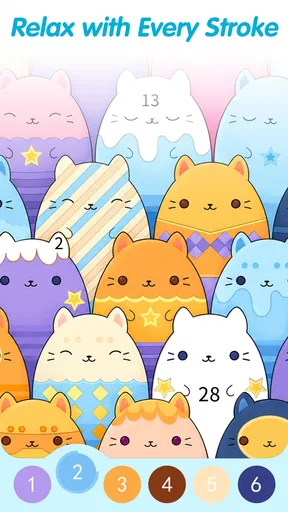
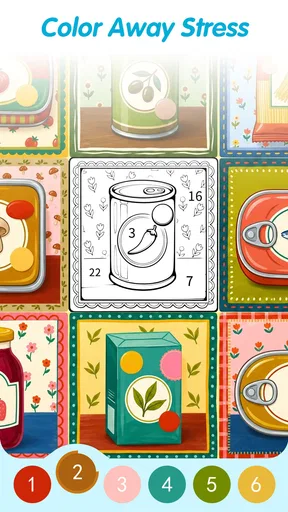
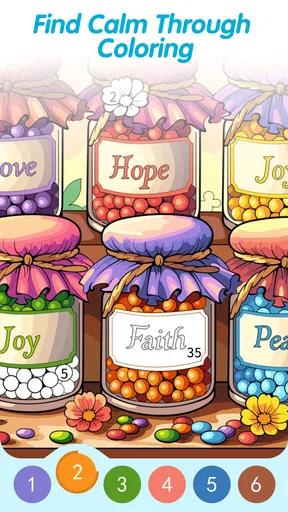
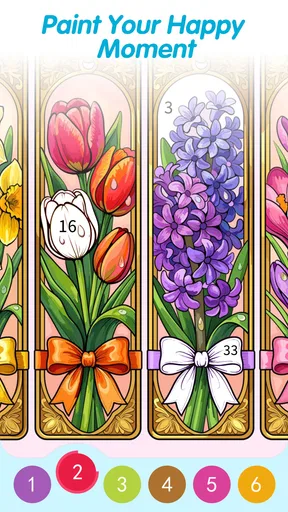
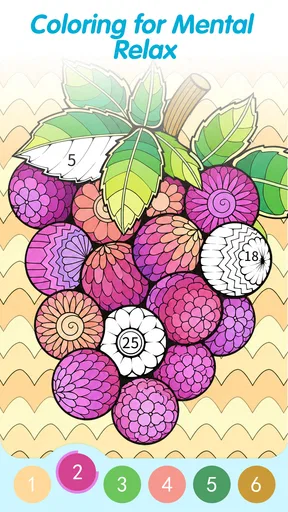
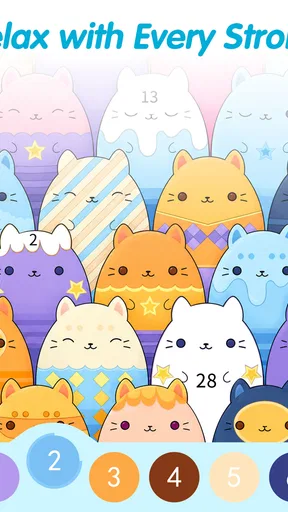
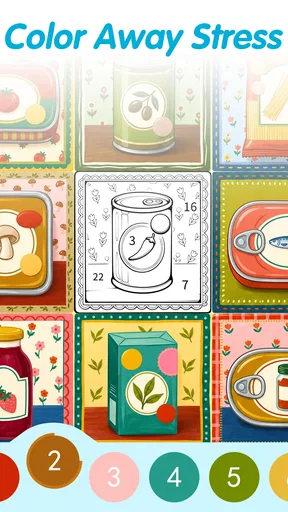
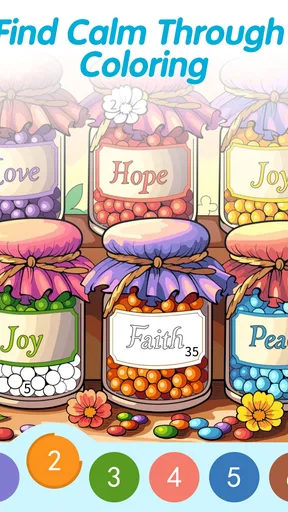
I spent time with Seamless Pattern Color as a quiet, casual coloring game rather than treating it like a conventional puzzle title. Its central idea is simple: you color numbered sections in repeating patterns, gradually turning a busy-looking design into a finished piece of art. That familiar color-by-number structure becomes more interesting when the artwork is seamless, because the pattern is meant to feel continuous instead of looking like a single isolated illustration.
That makes it a natural fit for short breaks, low-pressure evenings, or anyone who enjoys coloring but does not want to prepare materials or commit to a long game session. The game is free to download, with optional in-app purchases ranging from $0.99 to $9.99 per item. I think that distinction matters: you can try the basic experience without paying, while the optional spending is best viewed as a way to expand or enhance the experience rather than as an entry requirement.
How the coloring experience feels in everyday use
At first, the appeal is the steady rhythm. I look for a numbered area, choose the matching color, and tap through the design. There is no pressure to react quickly, defeat another player, or remember a complicated rule set. The game asks for attention, but not the kind of intense concentration demanded by a strategy game or a timed arcade challenge.
The seamless-pattern format changes the mood compared with ordinary coloring pages. A typical coloring app often presents animals, landscapes, objects, or portraits as separate pictures. Here, the repeated visual structure gives the finished work a more decorative quality. I found myself paying closer attention to how nearby shapes relate to one another, especially when a small section helped complete the flow of the overall pattern.
That is where the game works best: it turns a very accessible activity into something that feels slightly more considered. You do not need artistic skill because the numbered system guides the process, but the result can still feel satisfying because the completed design has visual continuity. It is a small distinction, yet it gives the app an identity beyond simply filling blank spaces.
The developer, LoveColoring Game, has positioned this as a casual game for a broad audience. Its Everyone content rating supports that approachable presentation. I would still describe the experience as especially suitable for adults who want a calm activity, because the appeal is less about competition and more about repetition, focus, and the pleasure of watching a pattern become complete.
A useful companion for short breaks
A realistic use case is an evening when I have ten or fifteen minutes before bed but do not want to begin a demanding game, watch another episode, or scroll endlessly. I can open a pattern, complete a few sections, and stop without feeling that I have abandoned a mission. The game’s structure suits interruption because coloring progress is naturally divided into small actions.
Worth Reading Before You Choose

Flipboard Shows What News Apps Must Do Beyond the Feed

Switching to Android Auto Means Rethinking Your Driving Routine

Google Calendar Makes a Crowded Week Easier to Manage

Ludo King Makes the Most of the Minutes Between Plans

Baby Panda World Brings Quick Play to Modern Phones, but Its Game Library Feels Busy

ESPN’s Live Game View Makes Following Close Games Easier
It can also work during a commute or while waiting for an appointment, provided the screen and surroundings make tapping comfortable. I would not choose it when I need a strong sense of progression or a challenge that pushes me to improve. Its strength is that it gives a small mental reset, not that it creates a dramatic gaming story.
One practical tip is to treat each pattern as a visual exercise rather than rushing to finish it. I found that checking the repeated shapes before tapping helped me notice how the design was developing. That approach makes the process feel less like hunting for isolated numbers and more like assembling a complete surface.
What the free option means for value
The most important cost detail is straightforward: the game is free, while individual in-app purchases are listed from $0.99 to $9.99. That gives hesitant players a sensible way to judge the core experience before spending anything. I appreciate that arrangement for this kind of app because the main question is personal: do you enjoy the coloring loop enough to keep returning to it?
I would not recommend buying anything immediately. First, use the free access long enough to decide whether seamless patterns genuinely appeal to you more than standard coloring pictures. If the visual style feels repetitive after a few sessions, an optional purchase is unlikely to solve the underlying mismatch. If you already enjoy the process and want more from the same format, then the purchase range gives room for a small experiment as well as a larger commitment.
The price range should also be considered against the kind of value this game offers. You are not paying for a competitive advantage or a tool that improves productivity. You are paying, when you choose to do so, for more entertainment within a relaxing hobby. That can be worthwhile, but only if the activity itself has become part of your routine.
Because the game is free to start, it is easier to recommend as a low-risk trial than as an automatic purchase. My advice is to avoid judging it solely by the existence of optional purchases. Instead, see whether the free experience gives you enough calm, visual interest, and repeat appeal to justify continuing.
Where the app delivers more than a basic coloring page
The strongest value comes from the relationship between repetition and completion. A single colored section may seem unimportant, but repeated motifs make small progress visible. I found that useful when I wanted an activity with a clear endpoint but did not want the emotional intensity of winning or losing.
Another advantage is accessibility. You do not have to know how to draw, mix colors, or plan a composition. The numbered structure reduces the fear of making a mistake, while the pattern format gives the finished image a coherent look. Someone who feels intimidated by freehand digital art can approach this without needing lessons or a creative plan.
There is also a subtle difference between this and simply watching relaxing content. Coloring requires enough participation to keep the mind occupied. I had to scan, select, and respond, so the activity was more engaging than passive background media. At the same time, it did not demand the sustained problem-solving that a traditional puzzle game requires.
For that reason, I see it as occupying a useful middle ground. It is more interactive than a screensaver and less demanding than a logic challenge. That balance is probably the main reason it has attracted an average rating of 4.9 from around 1.2 thousand ratings. The reception suggests that the basic concept connects with its audience, although a high average should not replace trying the style for yourself.
Small techniques that make the sessions better
My first practical suggestion is to use the zoom level deliberately. When a pattern contains many small areas, working too far out can make the screen feel crowded and increase accidental taps. Zooming in for detailed sections and returning to the wider view for checking the repeated design creates a better rhythm than staying at one scale.
Second, I recommend finishing a visually central cluster before jumping randomly around the screen. This is not a rule the game forces on you; it is simply a workflow that made the pattern easier for me to understand. Completing connected areas lets the design reveal itself sooner and makes progress feel more meaningful.
Third, save the most visually repetitive portions for moments when you want the most automatic experience. Some sections are satisfying because they reveal the structure, while others are mainly about completing many similar taps. Using the simpler parts during a tired moment and the more interesting sections when you want engagement helps prevent the game from feeling monotonous.
These habits also expose the game’s real appeal. It is not just the final image. The value is in choosing how to move through the design, controlling the pace, and deciding whether the session is about finishing quickly or relaxing slowly.
The tradeoffs behind the calming design
The same simplicity that makes the game approachable can limit its appeal. If you want deep strategy, evolving characters, difficult objectives, or a strong narrative, this is not the right choice. The numbered coloring format has a narrow purpose, and it does not pretend to be a full-scale adventure.
Repetition can also become a weakness. Seamless patterns are the reason to try this game, but they may not provide enough variety for someone who prefers recognizable subjects or changing environments. A person who enjoys coloring portraits, scenery, or detailed illustrations may find a more traditional coloring app better suited to their taste.
There is a second tradeoff in the lack of pressure. I liked being able to pause without consequences, but players who depend on goals, streaks, leaderboards, or timed rewards may interpret that calmness as a lack of motivation. The game is better at helping me settle into a task than at pushing me to return through competition.
Optional purchases are another point to consider. Free access lowers the barrier to entry, but anyone who becomes invested should keep track of spending rather than treating small purchases as automatically harmless. The listed range from $0.99 to $9.99 per item is reasonable to evaluate individually, yet the right value depends on how often you play and how much additional content you actually want.
How it compares with usual alternatives
Compared with a standard color-by-number app, this game’s clearest difference is the seamless pattern concept. If you like decorative repetition, geometric flow, and designs that feel suitable for a wallpaper or textile-inspired mood, this is more distinctive than a collection of unrelated pictures. If you prefer recognizable scenes, the usual alternative may feel more rewarding.
Compared with a traditional puzzle game, it offers less challenge but also less frustration. There is no need to test a theory, restart after a mistake, or keep a chain of reasoning in your head. That makes it a better choice for winding down, while a logic game is more appropriate when you want to exercise problem-solving skills.
Compared with freehand drawing apps, it offers less creative control. I cannot shape the composition in the same way I could with a blank canvas, but I also do not face the pressure of producing something from nothing. The numbered format is a trade: less authorship in exchange for a more predictable and approachable result.
Those comparisons helped me understand who should skip it. I would pass if my main goal were competitive play, storytelling, artistic experimentation, or complex puzzles. I would also skip it if repetitive visual work quickly irritates me. The game is strongest when the player actively wants a gentle, guided coloring routine.
Device and version details worth checking
The current version is 1.0.7, and the game requires Android 8.0 or later. That makes the operating-system requirement an important practical check before downloading, especially if you are using an older phone or tablet. On a compatible device, the simple interaction should be easy to understand, but comfort will still depend on screen size and how much detail a pattern contains.
A larger display may make intricate areas easier to manage, while a phone is more convenient for quick sessions. I would choose the device based on how I plan to use it: a phone for waiting-room breaks and a larger screen for longer coloring sessions at home. That distinction matters more here than raw performance because the experience is built around visual precision and relaxed tapping.
The age rating of Everyone makes it broadly approachable, but the intended mood still feels more appealing to adults who enjoy quiet hobbies. Families can consider it as a simple shared activity, although each person’s reaction will depend on whether they enjoy repetition and decorative designs.
Who will get the most from it
I would recommend this game to someone who wants a low-pressure digital coloring activity with a recognizable visual identity. It is particularly suitable for players who enjoy patterns, prefer guided creativity, and like completing small sections during spare moments. It also suits people who want to try before spending, since the free entry makes that decision easier.
It may be useful for building a personal wind-down routine. For example, I could use one short session after work as a boundary between a busy day and a quieter evening. The activity is structured enough to hold my attention, but gentle enough that I do not feel I am starting another demanding obligation.
I would be more cautious recommending it to children who need constant novelty, players who want achievement systems, and artists seeking complete control over color and composition. Those users may find a drawing tool, story game, or competitive puzzle more satisfying. The app does not need to serve every purpose; its value depends on wanting exactly this kind of guided repetition.
My buy-or-skip verdict
My verdict is to try the free version first and consider paying only after the coloring loop has earned a place in your routine. The game’s strongest feature is not complexity but focus: seamless patterns give the familiar color-by-number format a more continuous, decorative feel. That is enough to make it stand out for the right audience.
I would buy an optional item only when I knew I wanted more time with this specific style, not because the purchase itself promised to transform the game. The listed in-app purchase range makes a small trial possible, while the free starting point protects you from committing too early. In value terms, this is a leisure purchase, so frequency of use should guide the decision.
After reviewing it, I see Seamless Pattern Color as a calm, guided art puzzle rather than a conventional game. It is free to begin, easy to understand, and distinctive enough to deserve a look from pattern lovers. Its limitations are equally clear: repetition, limited creative control, and little appeal for players seeking challenge or competition.
For me, that balance works. I would keep it installed for short, quiet sessions and recommend it to a friend who enjoys coloring but wants something more visually connected than ordinary pages. If that sounds like your kind of break, the free access makes trying it a sensible choice; if you need deeper gameplay, a different category will give you better value.
Pros
- Simple interface makes pattern coloring easy for beginners.
- Relaxing activity suitable for short breaks or longer sessions.
- Color choices allow plenty of creative freedom.
- Patterns provide a satisfying way to practice focus and patience.
- Works well for users who enjoy repetitive
- calming gameplay.
Cons
- Some designs may feel repetitive after extended use.
- Advanced users may want more detailed or challenging patterns.
- Certain colors or designs may require in-app purchases.
- Small pattern sections can be difficult to color precisely.
- The experience may become less engaging without regular content updates.
FAQs for Seamless Pattern Color
What is Seamless Pattern Color?
Seamless Pattern Color is a creative coloring app focused on decorative, repeating designs rather than ordinary coloring pages. It lets you fill patterned artwork with different colors, experiment with combinations, and create visually consistent results. The app may appeal to users who enjoy relaxing artistic activities, geometric designs, and making colorful backgrounds for sharing or personal use.
How does the coloring process work in Seamless Pattern Color?
After selecting a pattern, you can usually choose colors from the available palette and apply them to individual sections of the design. Because the artwork repeats seamlessly, color choices can affect the overall appearance of the complete pattern. Users should take time to test combinations, undo mistakes when necessary, and adjust the palette until the result looks balanced and visually appealing.
Is Seamless Pattern Color suitable for beginners and children?
The app is generally easy to understand because its main interaction is based on selecting colors and tapping areas of a design. Beginners can start experimenting without previous drawing experience, while older children may also enjoy the simple creative format. However, parents should check the app’s age rating, advertising, privacy options, and any in-app purchase features before allowing younger users to play.
Does Seamless Pattern Color require an internet connection?
The need for an internet connection can depend on the version of the app and the features being used. Basic coloring may work offline after the necessary content has loaded, but advertisements, additional pattern packs, cloud functions, or sharing tools may require connectivity. If offline use is important to you, test the app in airplane mode after installation and review its current store description.
Is Seamless Pattern Color free to download and use?
Seamless Pattern Color may be available as a free download, but the exact experience can include advertising, optional purchases, or locked designs depending on the platform and current release. Before downloading, check the Google Play or App Store listing for pricing details, subscriptions, and purchase information. Reviewing these conditions in advance helps avoid unexpected charges while exploring the app’s full pattern collection.


